

- The debit/credit in the currency of the company;
- The debit/credit in the currency of the bank account.
Configuration
Activate multi-currencies
To work with multiple currencies, go to Accounting ‣ Configuration ‣ Settings ‣ Currencies and tick Multi-Currencies. Under Post Exchange difference entries in:, provide a Journal, a Gain Account, a Loss Account, and then click on Save.Configure currencies
Once LinkQ is configured to support multiple currencies, they are all created by default, but not necessarily active. To activate the new currencies, click on Activate Other Currencies under the Multi-Currencies setting or go to Accounting ‣ Configuration ‣ Accounting: Currencies. When the currencies are activated, you can choose to automate the currency rate update, or leave it on manual. To configure the rate update, go back to Accounting ‣ Configuration ‣ Settings ‣ Currencies, check Automatic Currency Rates, set Interval to your desired frequency, and then click on Save. You also have the option to choose the Service you wish to obtain currency rates from. Click on the Update now button (🗘) besides the Next Run field to update the currency rates manually.Create a new bank account
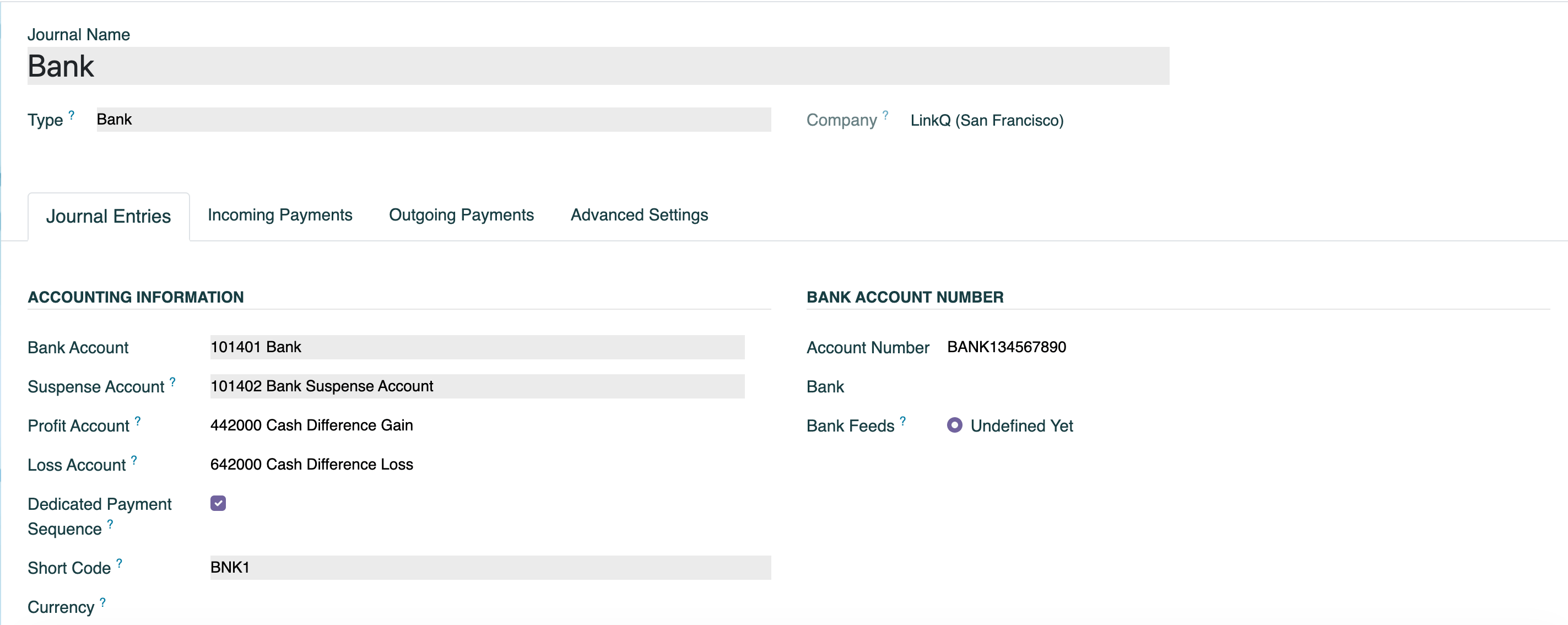
In the accounting application, go to Accounting ‣ Configuration ‣ Journals and create a new one. Enter a Journal Name and set the Type toBank. In the Journal Entries tab, enter a short code, a currency, and then finally click on the Bank Account field to create a new account. In the pop-up window of the account creation, enter a name, a code (ex.: 550007), set its type to Bank and Cash, set a currency type, and save. When you are back on the journal, click on the Account Number field, and in the pop-up window, fill out the Account Number, Bank of your account, and save.
Vendor bill in a foreign currency
To pay a bill in a foreign currency, simply select the currency next to the Journal field and register the payment. LinkQ automatically creates and posts the foreign exchange gain or loss as a new journal entry.
NoteNote that you can pay a foreign bill with another currency. In that case, LinkQ automatically converts between the two currencies.
Unrealized Currency Gains/Losses Report
This report gives an overview of all unrealized amounts in a foreign currency on your balance sheet, and allows you to adjust an entry or manually set an exchange rate. To access this report, go to Reporting ‣ Management: Unrealized Currency Gains/Losses. From here, you have access to all open entries in your balance sheet.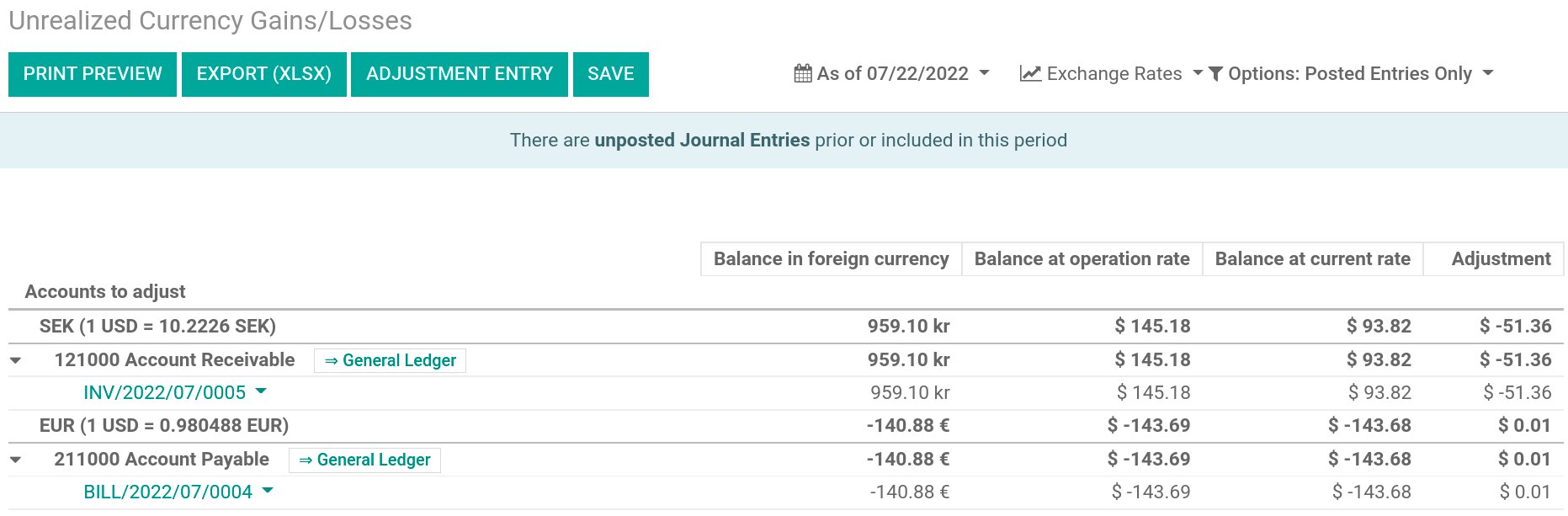
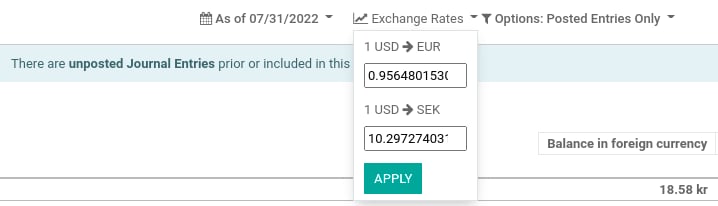
0.00, meaning all unrealized gains/losses have been adjusted.
