
NoteConsolidating companies involves legally separate entities, whereas branches are subdivisions of a single legal entity which often share the head office’s resources (journals, taxes, accounts, fiscal positions) and are not consolidated in the same way.
Consolidation tools
Several tools combined together will contribute to the construction of the financial consolidation:-
Account Mapping: Similar accounts from different companies can be mapped together. This allows LinkQ to combine them correctly in consolidated reports. To map accounts, go to Accounting ‣ Configuration ‣ Chart of Accounts. Click View on the account line. In the Mapping tab, enter a code in the corresponding company Code column to map the account.
 When multiple accounts from one company are mapped to a single account in another, it is then possible to group the multiple accounts into a single line in the other company’s reporting by grouping by the account code (Import mapping or merge existing accounts using the merging tool can simplify the process.
account_code) rather than the account ID (account_id).Note Some reports, such as the profit and loss, split the lines into different sections by account type. When these reports are grouped by account code, the section splits are maintained, but within each section, line grouping by account code is respected.Example Nicaraguan Company is a parent company with a subsidiary, American Company. American Company has five income accounts:- 400000 Product Sales - Domestic
- 400100 Product Sales - International
- 410000 Service Revenue - Consulting
- 420000 Subscription Revenue
- 430000 Freight & Handling Revenue All five of the US income accounts correspond to one single income account (700000 Income) in the Nicaraguan Company. For the Nicaraguan Company’s profit and loss report to show one line for all of the American Company’s combined income accounts related to the Nicaraguan Company’s single income account, all five income accounts from the American Company must be mapped to The Nicaraguan Company’s 700000 Income account, and the report’s lines must be grouped by the account code.
-
Multi-Ledgers: Ledgers are fundamental to the process of consolidation. They are either:
- Regular Ledgers: Each company in the consolidation scope has its own standard accounting ledger where all the regular day-to-day transactions are recorded. It excludes the company’s consolidation adjustment journals.
- Multi-Ledger for Consolidation: The company doing the actual consolidation also has a special multi-ledger. This one includes all the other companies’ consolidation adjustments journals (the ones excluded from their own ledgers). This allows for viewing the total impact of all the adjustments. To create a new ledger, go to Accounting ‣ Configuration ‣ Multi-Ledgers and hit the New button. Enter a name, pick the company the ledger is linked to and most importantly, determine which journals are to be excluded from the ledger.
-
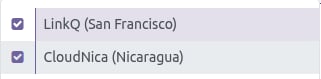
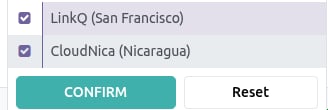
Multi-Company Selector: The consolidated view can be accessed using the multi-company selector. Selecting the consolidating company as the current company and making the other companies visible in the selector, all the journal items are displayed from the consolidating company’s perspective.
-
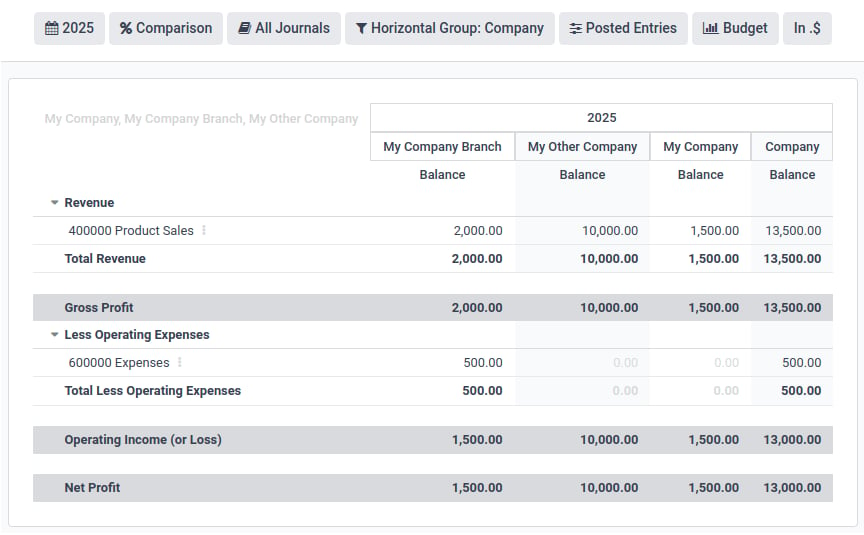
Horizontal Groups: LinkQ’s reporting tools allow for combining multi-ledgers and using horizontal groups to view the consolidated Balance Sheet or P&L. They also show how much each company contributes to the overall consolidated figures. Follow these steps to create an Horizontal Group:
- Activate the developer mode.
- Go to Accounting ‣ Configuration ‣ Horizontal Groups and click New.
- Add a Group Name and select the Reports where the horizontal group can be used.
- In the Field column, click Add a line.
- In the Create rules window, add a Field and create a new Domain rule if needed. Then, click Save & Close.
-
Cumulative Translation Adjustments: When consolidating companies with different currencies, LinkQ handles the translation.
- Equity accounts: Use the historical exchange rate.
- Profit & Loss (P&L) accounts: Use the average exchange rate.
- Balance sheet accounts (excluding equity): Use the closing exchange rate.
Account merging
Accounts can be merged to reduce the number of accounts and standardize them across companies. This is optional; consolidation works without it. To use the merge tool, select all the companies with an account that needs to be merged in the company selector in the top right corner of the screen.