

NoteLinkQ Accounting automatically installs the appropriate Fiscal Localization Package for your company, according to the country selected at the creation of the database. This way, the right accounts, reports, and taxes are ready-to-go.
Accounting onboarding banner
The step-by-step Accounting onboarding banner is composed of four steps:
- Accounting Periods
- Bank Account
- Taxes
- Chart of Accounts
Accounting Periods
Define the Fiscal Years’ opening and closing dates, which are used to generate reports automatically, and set your Tax Return Periodicity, along with a reminder to never miss a tax return deadline. By default, the opening date is set on the 1st of January and the closing date on the 31st of December, as this is the most common use.NoteYou can also change these settings by going to Accounting ‣ Configuration ‣ Settings ‣ Fiscal Periods and updating the values.
Taxes
This menu allows you to create new taxes, (de)activate, or modify existing taxes. Depending on the localization package installed on your database, taxes required for your country are already configured.Chart of Accounts
With this menu, you can add accounts to your Chart of Accounts and indicate their initial opening balances. Basic settings are displayed on this page to help you review your Chart of Accounts. To access all the settings of an account, click on the Setup button at the end of the line.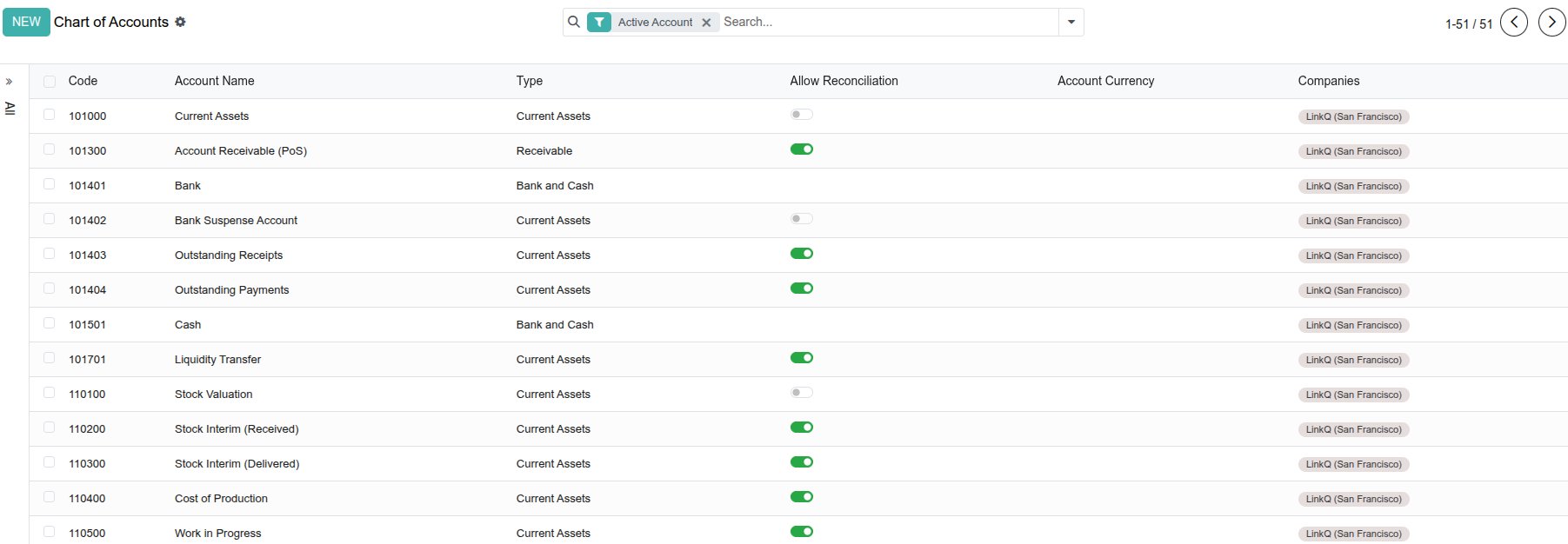
Invoicing onboarding banner
There is another step-by-step onboarding banner that helps you take advantage of your LinkQ Invoicing and Accounting apps. The Invoicing onboarding banner is the one that welcomes you if you use the Invoicing app rather than the Accounting app. If you have LinkQ Accounting installed on your database, you can reach it by going to Accounting ‣ Customers ‣ Invoices. The Invoicing onboarding banner consists of four main steps:
- Company Data
- Documents Layout
- Create Invoice
- Online Payments